Miss Hoppenworth's Technology Class
  • Class Links
  • Typing Resources

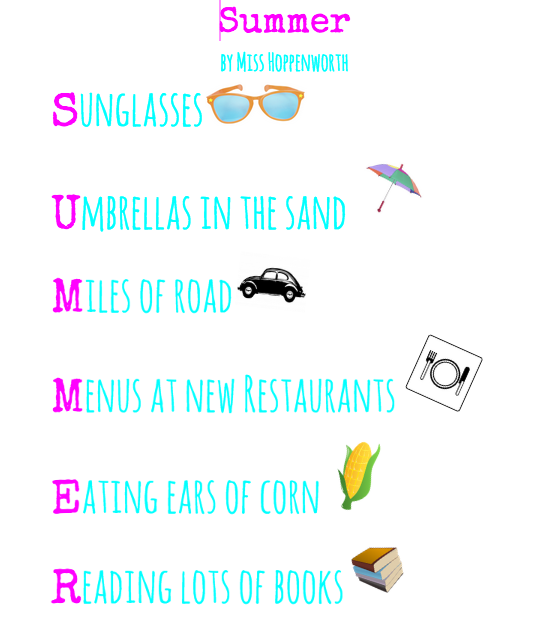
Acrostic Poems

Click here to turn in your finished poem!
Directions: 
  1. Choose a word for your poem (could be a person, a place, a season...) 
  2. Your word needs to be at least 4 letters long
  3. Open Google Drive and create a new document. 
  4. Begin typing your poem!
    Be creative! Use different colors and fonts. 
    Add clipart images 
  5. When you're finished: 
  • Share your document with Miss Hoppenworth
  • Fill out the form at the top of this page to turn in your work
Requirements: 
  • Use a word that has at least 4 letters
  • Use at least 2 different fonts
  • Use at least 2 different text colors
  • Insert at least 1 clip art image
  • Add a title
  • Write an author line (By Your Name) 
Picture
Need help coming up with words for  a certain letter? Try typing a similar word in a Thesaurus! 

Video: How to add clipart 

Powered by Create your own unique website with customizable templates.